

Stop alerts
1
The shopper clicks Unsubscribe
A confirmation page opens — nothing is changed by the click alone. It reads Notification
Preferences and You are currently subscribed to restock alerts for the product, with the
contact it goes to.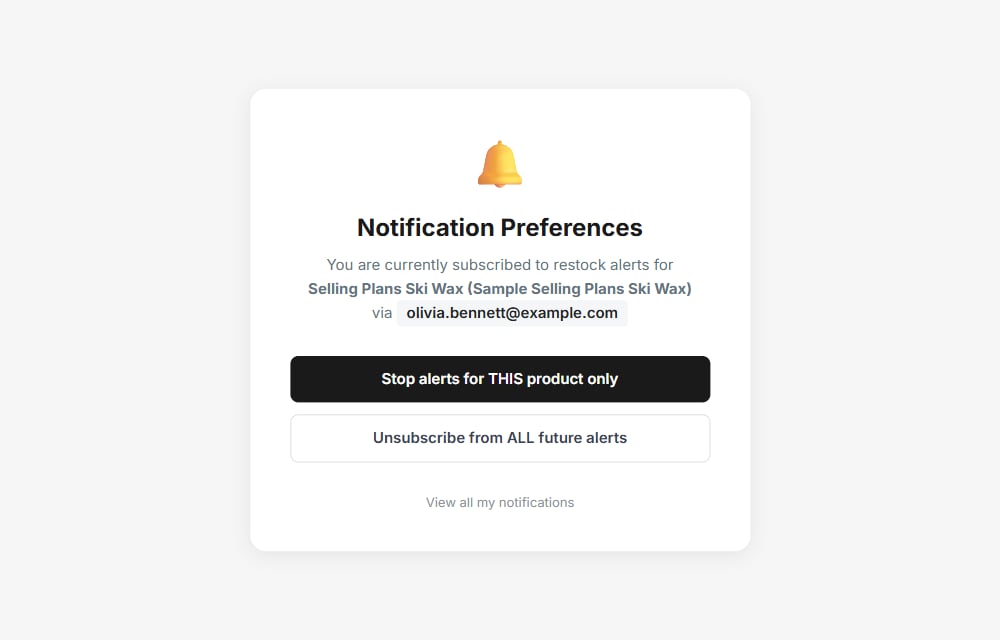
2
They choose how much to stop
The page also links to View all my notifications.
See and manage everything they’re waiting for
The Manage Notifications link opens Your Notifications for that email address: a list of products with their status and an Unsubscribe button on each one still waiting.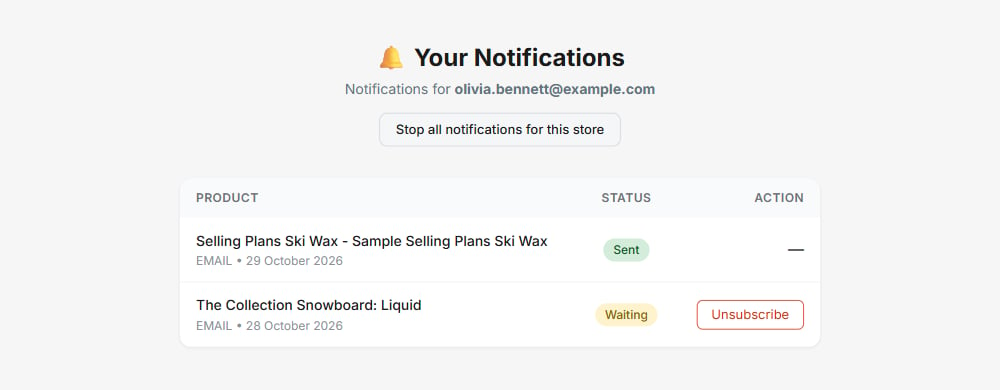
Stop all notifications for this store at the top does the same as Unsubscribe from ALL.
After any change the page shows ✅ Unsubscribed successfully! Your preferences have been
updated. A shopper can remove sign-ups here, but not change them — to switch variant or channel,
they sign up again on the product page.
In their customer account
If you add the Notifylyst Subscriber block to a page of your theme, logged-in customers see a table of their own sign-ups there, with search, filters and an Unsubscribe button. Guests see nothing. See Storefront widget.Turning alerts back on
The confirmation email is titled Confirm restock alerts from your store, with the button Yes,
send me restock alerts. The link works for 7 days, and at most one such email goes to an address
every 6 hours. The page it opens says Alerts are back on.
Where it can go wrong
A shopper gets a restock alert
The journey that leads here.
Delivery rules
Block a contact yourself, and who gets skipped.