

1
The allowance runs out
Each cycle your plan includes a number of email & web push notifications. When they are used, sends
continue from your wallet automatically. SMS is always paid from the wallet.Dashboard → Plan & usage shows what’s left: for example 0 of 20 sent, Wallet empty.
2
The wallet is empty too — alerts wait
Nothing is dropped and nothing is charged. The app tells you in three places: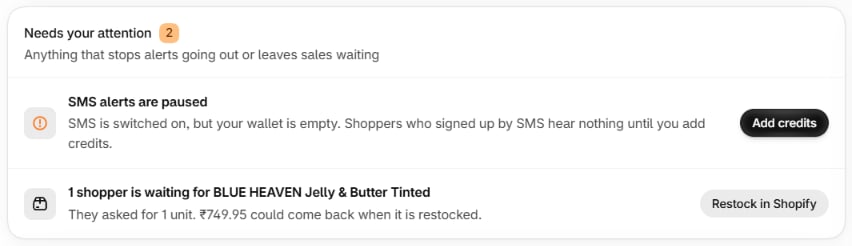
- Home → Needs your attention, for example SMS alerts are paused — SMS is switched on, but your wallet is empty. Shoppers who signed up by SMS hear nothing until you add credits.
- The Dashboard: N restock alerts are waiting to be sent.
- Usage: Sends are waiting for credit.
3
Decide: top up, change plan, or wait
A late restock alert is worth much less than one on time, so if shoppers are waiting for a product
that is back now, top up.
4
Top up
Add credits → choose an amount → check the Order summary → Confirm. The amount goes on
your next Shopify bill; the credit is usable at once.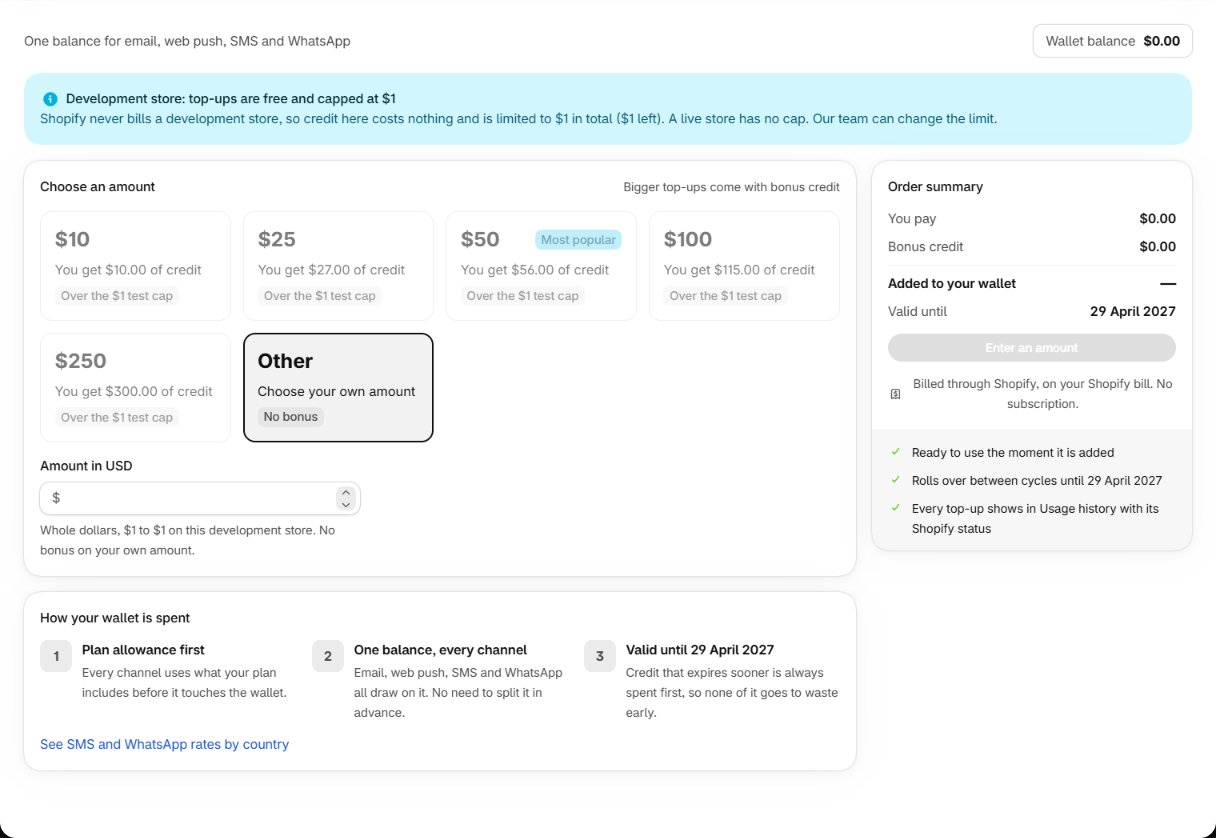
5
The waiting alerts go out
As soon as there is credit again — after a top-up, a plan change or the new cycle — the alerts that
were waiting are sent by themselves. You don’t need to do anything else. Each one is still checked
first: if the shopper has bought it meanwhile, or the product sold out again, it is skipped.
What happens behind the scenes
Every send first uses the plan’s allowance, then the wallet — the credit that expires soonest first. When neither can pay, the send is held rather than dropped, and released when credit appears.Where it can go wrong
Billing and credits
The allowance, the wallet and rates in detail.
Change your plan
Switch to a plan that fits your volume.